Usability Testing
Overview & Setup
To evaluate the alpha version of Campass, our team conducted a focused usability test with real users around the core campus exploration loop. The assessment included 10 participant records, exceeding the coursework requirement of testing with 3 real people: 4 external visitors and 6 existing students.
Ethical Considerations & Informed Consent
Before each usability session, participants were informed about the test purpose, recording scope, and data usage. Only participants who agreed were included.
- Participation was voluntary, and participants could stop or skip questions at any time.
- Portfolio reporting uses anonymized IDs (
U1-U10) instead of personal names. - Media and observations shown here are used only for project evaluation and iteration analysis.
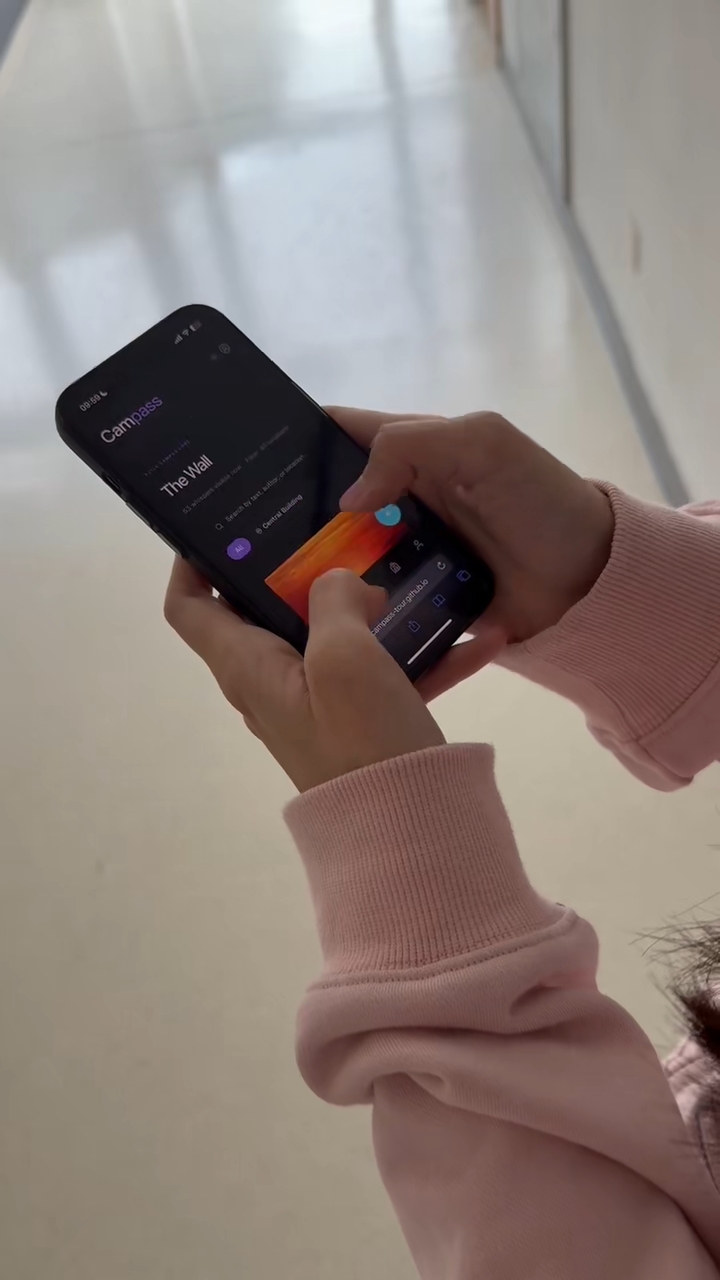
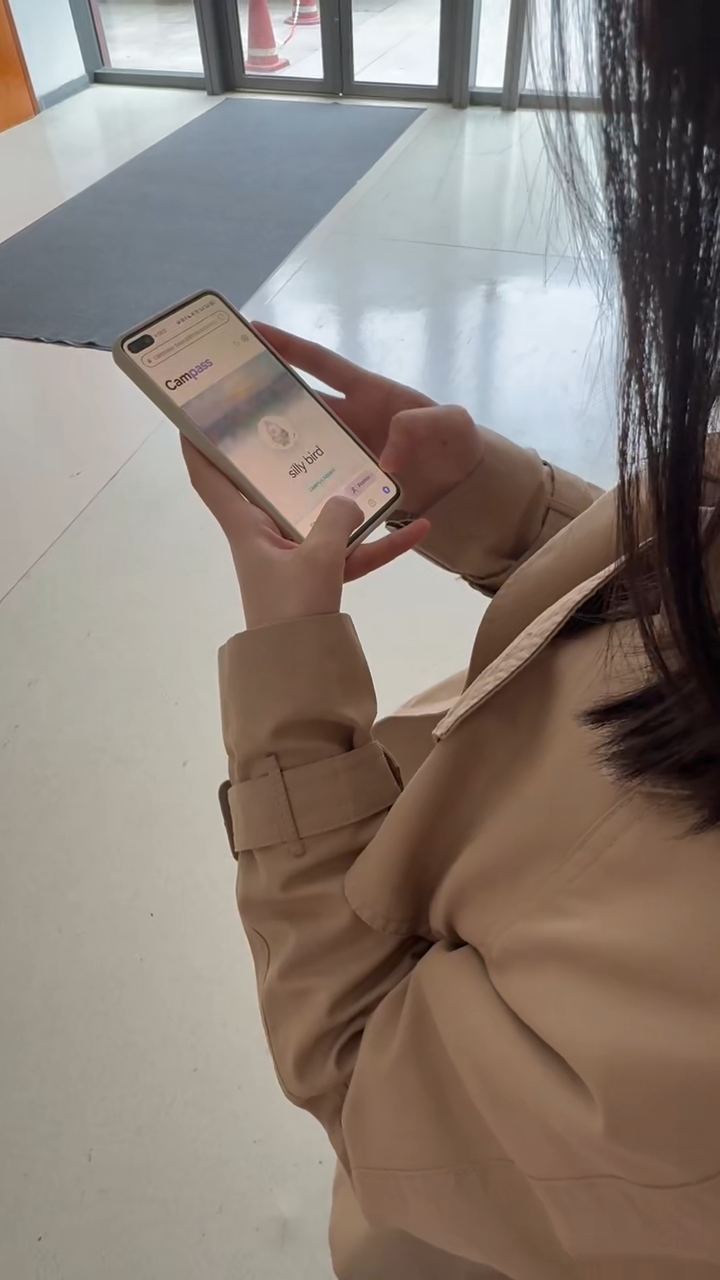
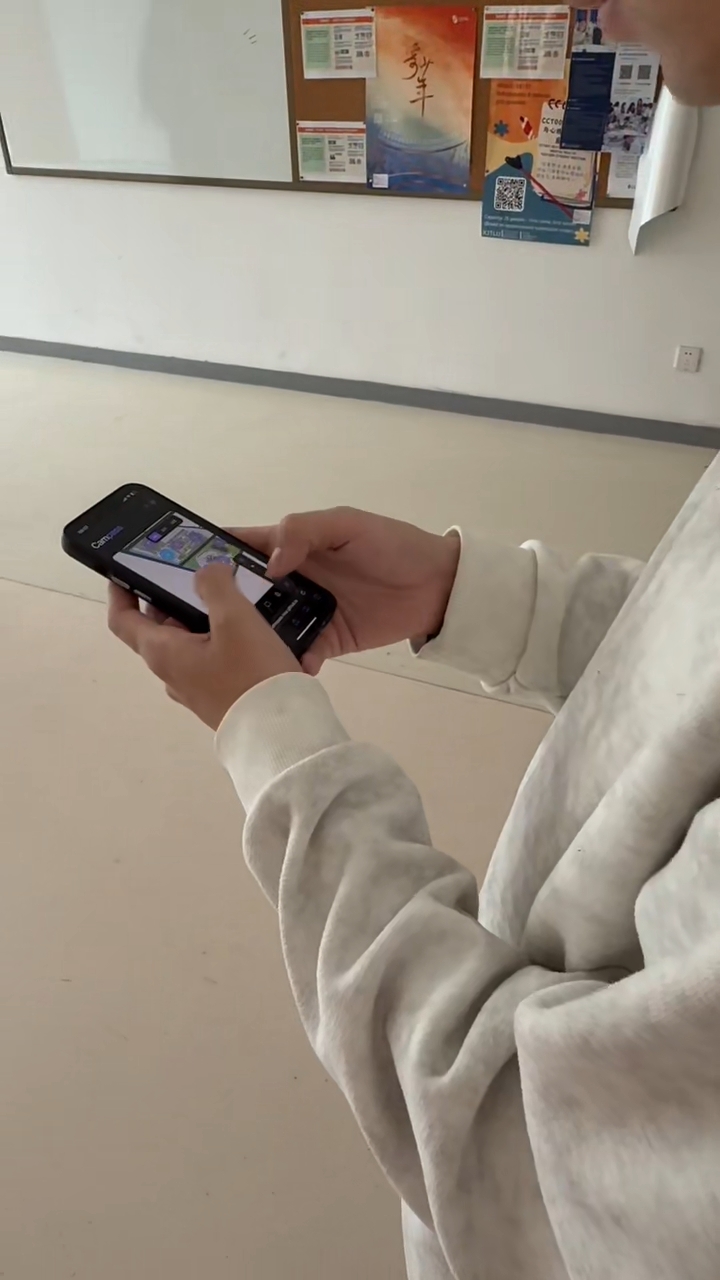
Figure 1. Observed alpha usability testing sessions with real users.
Our goal was to test whether the experience was intuitive beyond the UI mockups, especially identifying divergence between users with and without prior campus familiarity.
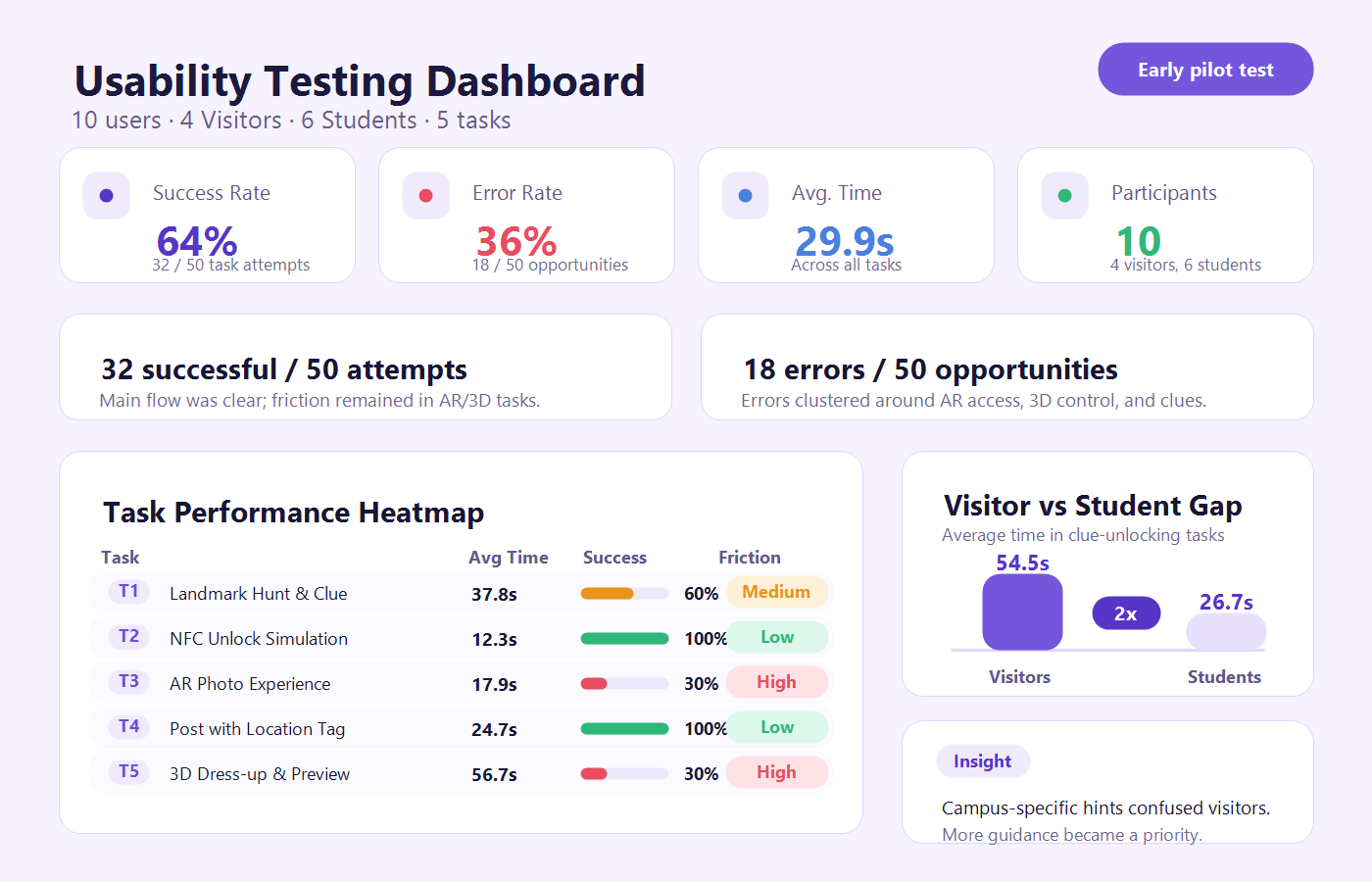
Figure 1. Summary dashboard from our alpha usability testing.
Raw Data Details
To analyze user friction points, we designed 5 core tasks scaling from basic exploration to complex 3D interactions.
Click to view Raw Task Definitions & User Timings
Defined Tasks
| Task ID | Task Name | Definition of Success | Definition of Error | Primary Focus |
|---|---|---|---|---|
| T1 | Landmark Treasure Hunt & Clues | User clicks the target map pin based on a Level 1 fuzzy clue, and completes the question to unlock Level 2. | 1. Can't find pin (closed drawer, tapped randomly). 2. Question failed (2 failed attempts or aborted). 3. Confusion (still unsure where to go after unlocking Level 2, especially Visitors). | Map UI, Clue readability, Role perception, Logic loop. |
| T2 | NFC Simulation Unlock | User triggers the 3D unlock modal via "Simulate Scan" and selects "Save to Gallery". | 1. Can't trigger (>30s to find button). 2. Miss-click on wrong UI elements. 3. Wrong selection (e.g. going to AR directly instead of Save). | Discoverability of NFC prompt, Flow fluency, Modal selection. |
| T3 | AR Camera Activation | User successfully opens AR mode and sees the 3D mascot registered in real space. | 1. Device unsupported block. 2. Extreme launch latency/lag. 3. Model fails to load (camera only). | AR accessibility, Compatibility, Performance bottlenecks, 3D Load. |
| T4 | Location-based UGC Post | User successfully publishes a message tagged with the currently unlocked location. | 1. Cannot select position or tries empty location tag. 2. Publish fails (e.g. empty input). 3. Flow interrupted (aborted for AR). | UGC flow, Location binding, Anti-spoiler limits. |
| T5 | 3D Dressing & Preview | User enters "Fitting Room", changes mascot accessory, and rotates 3D model preview. | 1. Cannot change accessory (>45s). 2. Gesture conflict (scrolling page mistakenly triggers 3D rotation >2 times). 3. Distinct render lag/stutter on model swap. 4. Asset load failed. | 3D Interaction Performance, Gesture Handling, UI Operability. |
User Performance Matrix
| User ID | Role | T1 (Sec / Error) | T2 (Sec / Error) | T3 (Sec / Error) | T4 (Sec / Error) | T5 (Sec / Error) |
|---|---|---|---|---|---|---|
| U1 | Visitor | 50s / T1-1 | 15s / None | 12s / None | 30s / None | 80s / T5-2 |
| U2 | Visitor | 65s / T1-2 | 18s / None | 5s / T3-1 | 25s / None | 90s / T5-2 |
| U3 | Visitor | 48s / T1-2 | 10s / None | 30s / T3-2 | 20s / None | 75s / T5-3 |
| U4 | Visitor | 55s / None | 20s / None | 18s / T3-3 | 32s / None | 100s / T5-2 |
| U5 | Student | 20s / None | 8s / None | 15s / None | 20s / None | 30s / None |
| U6 | Student | 25s / None | 10s / None | 27s / T3-2 | 22s / None | 40s / T5-3 |
| U7 | Student | 30s / None | 12s / None | 18s / T3-3 | 25s / None | 35s / T5-3 |
| U8 | Student | 22s / None | 9s / None | 6s / T3-1 | 20s / None | 32s / None |
| U9 | Student | 35s / T1-2 | 11s / None | 40s / T3-2 | 28s / None | 45s / T5-2 |
| U10 | Student | 28s / None | 10s / None | 8s / None | 25s / None | 40s / None |
Critical Insights & Design Iterations
From the raw logs, we extracted three pivotal bottlenecks that heavily undermined the user experience, particularly affecting newcomers. Using these insights, we strategized targeted design and technical refactors:
User Role Divergence
Visitors struggled to find target pins based on fuzzy clues, often closing drawers and guessing blindly (Error T1-1). The gap in spatial campus knowledge was severe.
Role-Adaptive Questions
Introduced branching clue logic. Visitors receive graded map pins and progressive hints.
View Refinement DetailSummary
The usability test directly shaped our critical refinements. By treating Visitor support as a prerequisite rather than an optional enhancement, resolving the 3D pipeline overhead, and isolating physical gestures inside the UI map, our subsequent iterations yielded a profoundly smoother digital-physical bridging experience.